Synopsis
ENRICH, ENHANCE, AND TRANSFORM YOUR ART WITH THE MAGIC OF PHOTOSHOP®
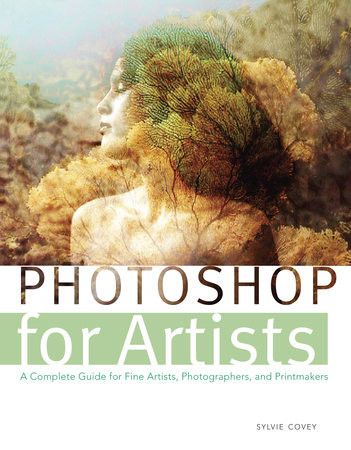
For artists, Adobe® Photoshopâ offers an exciting entry into a new world of limitless color, textures, and effects that can be applied with just the touch of a keyboard or click of a mouse.
Intended for serious artists -- painters, photographers, and printmakers ‑- Photoshop for Artists provides a comprehensive series of detailed tutorials, cataloging the various tools, techniques, and methods for producing an infinite variety of creative imagery with Photoshop.
With thirty tutorials divided into sections for fine artists, photographers, and printmakers, this book contains easy-to-follow step-by-step examples that include all the information serious professional artists need to master the digital art techniques of Photoshop. Each tutorial features screenshots and detailed directions, so artists can see exactly how the specific effects are achieved and applied to artwork.
Featuring stunning and dramatic imagery produced by the author and other accomplished artists, Photoshop for Artists is essential reading for artists looking to take their work to the next digital level.
Excerpt
Many beginners try too hard to outline everything. A successful drawing contains indications and information within the shapes of lines, tones, and textures. Well-drawn information often comes from withi the subtleties of tones rather than from an outline. In this method we will create a free-hand tonal portrait sketch from a reference photograph. The use of a stylus is recommended for hand-drawing digitally.
The
grid technique is a traditional way of reproducing an image used by artists for centuries. The basic principle consists of dividing a surface image into equal parts and working on each part as a whole. A divided part is smaller and easier to see and tackle. The grid technique is also very helpful to create the initial sketch of the iportant parts of a composition and for reproducing an image at a different scale. We will use a Photoshop grid as an overlay on both the reference photo and the drawing surface itself. The grid on both will help position the various elements of the portrait more accurately.
Drawing on a gray background with very realistic Photoshop brushes will allow us to keep all our options open for adding darker or lighter tones. We will start from a midtone surface and digitally use the natural media feel of centuries-old drawing tools. Photoshop offers many wonderful ways to re-create this traditional drawing method. New York artist, illustrator, and author Moira Fain turned this photo portrait into a digital hand-drawing using this method.
Excerpted from Photoshop for Artists by Sylvie Covey. Copyright © 2012 by Sylvie Covey. Excerpted by permission of Watson-Guptill, a division of Random House, Inc. All rights reserved. No part of this excerpt may be reproduced or reprinted without permission in writing from the publisher.
Table of Contents
Table of Contents
Preface
Introduction
Part One: Understanding the Vocabulary and Logic of Photoshop
Workspace Overview
Digital Basics
Part Two: Tutorials for Drawing and Painting Digitally
Mastering Photshop Tools for Artists
Drawing Digitally
Painting Abstract Composition
Painting Digital Landscapes
Painting with Wet Media Brushes
Digital Oil Painting
Using Digital Pastel and Dry Media Effects
Adding Special Effects to Paintings
Adding Custom Washes to Photographs
Painting with Filters and Blends
Part Three: Tutorials for Creating and Developing Fine Art Digital Photography
Making Basic Photo Corrections
Using Blending Modes
Replacing/Composing Scenery
Applying Adjustment Layers
Applying a Digital Double Exposure
Making Creative Photomontages
Changing a Photo from Color to Monochrome
Adding Sepia and Other Tones
Creating Duotones
Split Toning
Adding HDR Effect
Replacing Color
Hand Coloring Photos
Applying Halftones Patterns
Adding Depth of Field
Using Posterization
Part Four: Tutorials Combining Photoshop with Printmakin
Photo Etching
Making a Halftone for Photo Etching
Making Color Separations Lithography
Creating Pronto Polyester Lithography
Mixed Media Painting and Printmaking
Making Digital Transfers
Index
About Sylvie Covey
Sylvie Covey was born in Paris and attended the École Nationale Supérieure des Arts Décoratifs, majoring in printmaking. She has taught at the Art Students League in New York City since 1995. In 2001, Sylvie joined the faculty of the Fine Arts Department at the Fashion Institute of Technology to help develop a BFA program. She is represented by the Old Printshop Gallery in New York City. Her work is included in numerous collections, including the Metropolitan Museum of Art, the New York Historical Society, the New York Public Library, the Reader’s Digest collections, and the Museum of the City of New York. She specializes in all digital techniques in printmaking.
Visit the author’s website at www.sylviecovey.net.